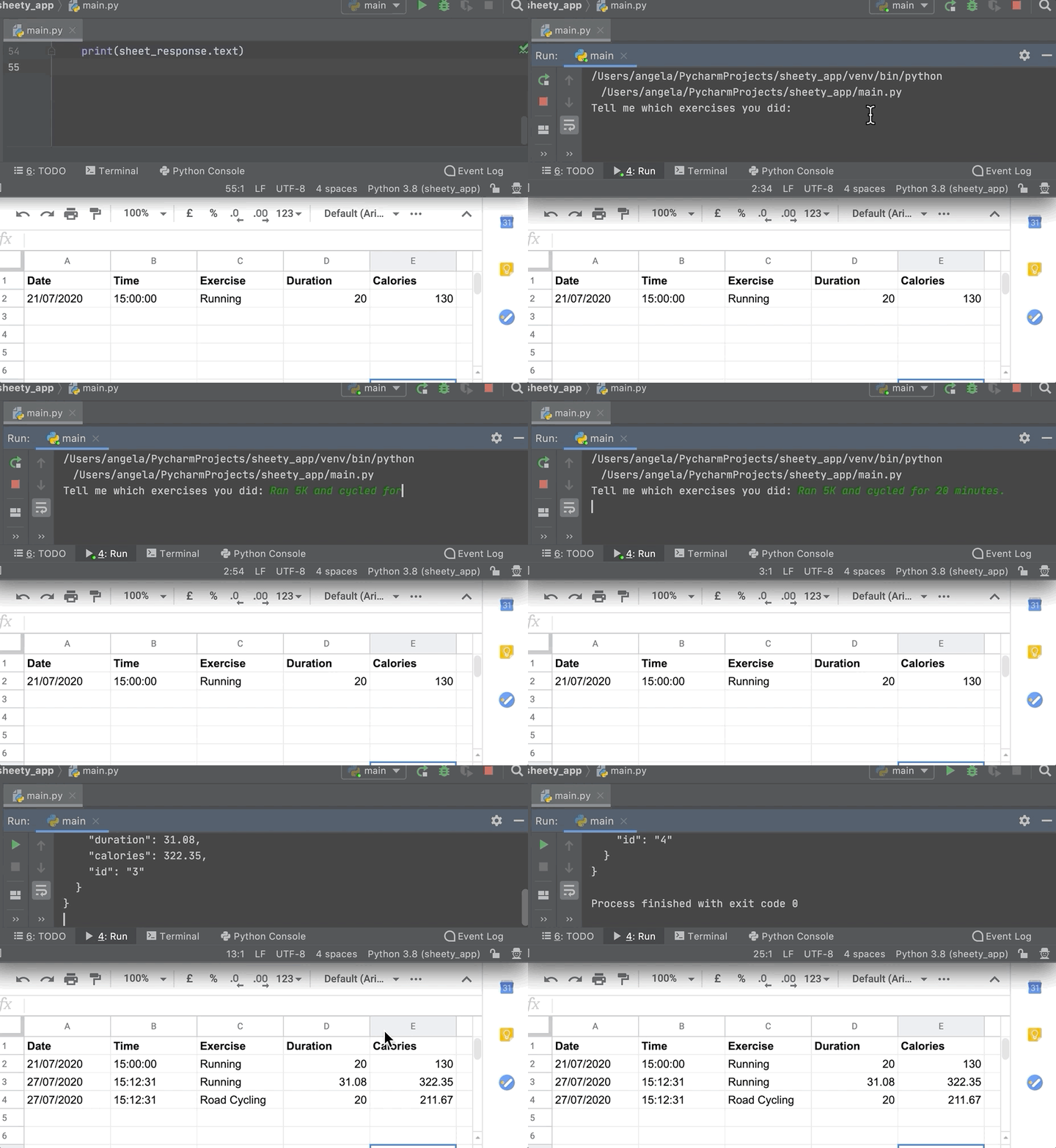
1. Using the Sheety Documentation, write some code to use the Sheety API to generate a new row of data in your Google Sheet for each of the exercises that you get back from the Nutrition API. The date and time columns should contain the current date and time from the Python datetime module.
e.g.
Note that the API will only pick a single "type" of exercise if you mention two types of exercise in your query as per the above. If you ran 5k and cycled for 20 minutes it's best to do two queries for accurate calories (i.e., 1. "Ran 5k". 2. "Cycled for 20 minutes"). That way you'll have two separate entries in your google sheet.
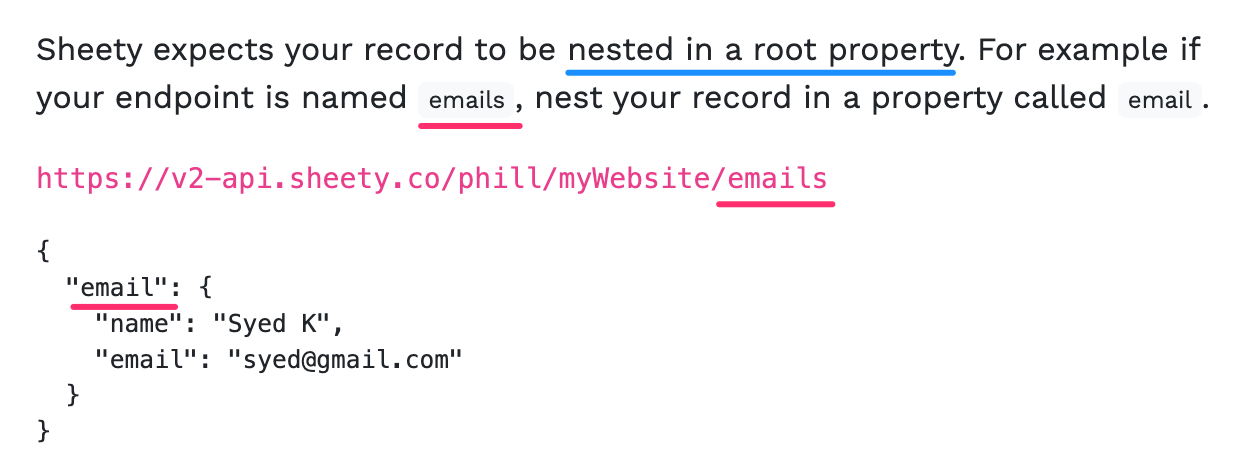
HINT 1: Parameters have to be camelCase. Also, pay special attention to this part in the documentation:
HINT 2: Remember you can generate text in title case by using the Python .title() method.
https://www.w3schools.com/python/ref_string_title.asp
HINT 3: Remember you can format a datetime object using the .strftime() method.
https://www.w3schools.com/python/python_datetime.asp
Debugging 🐞 Tip: If you're having any issues, double-check that you are logged in to Sheety with the same Google account that owns the spreadsheet you're trying to modify.