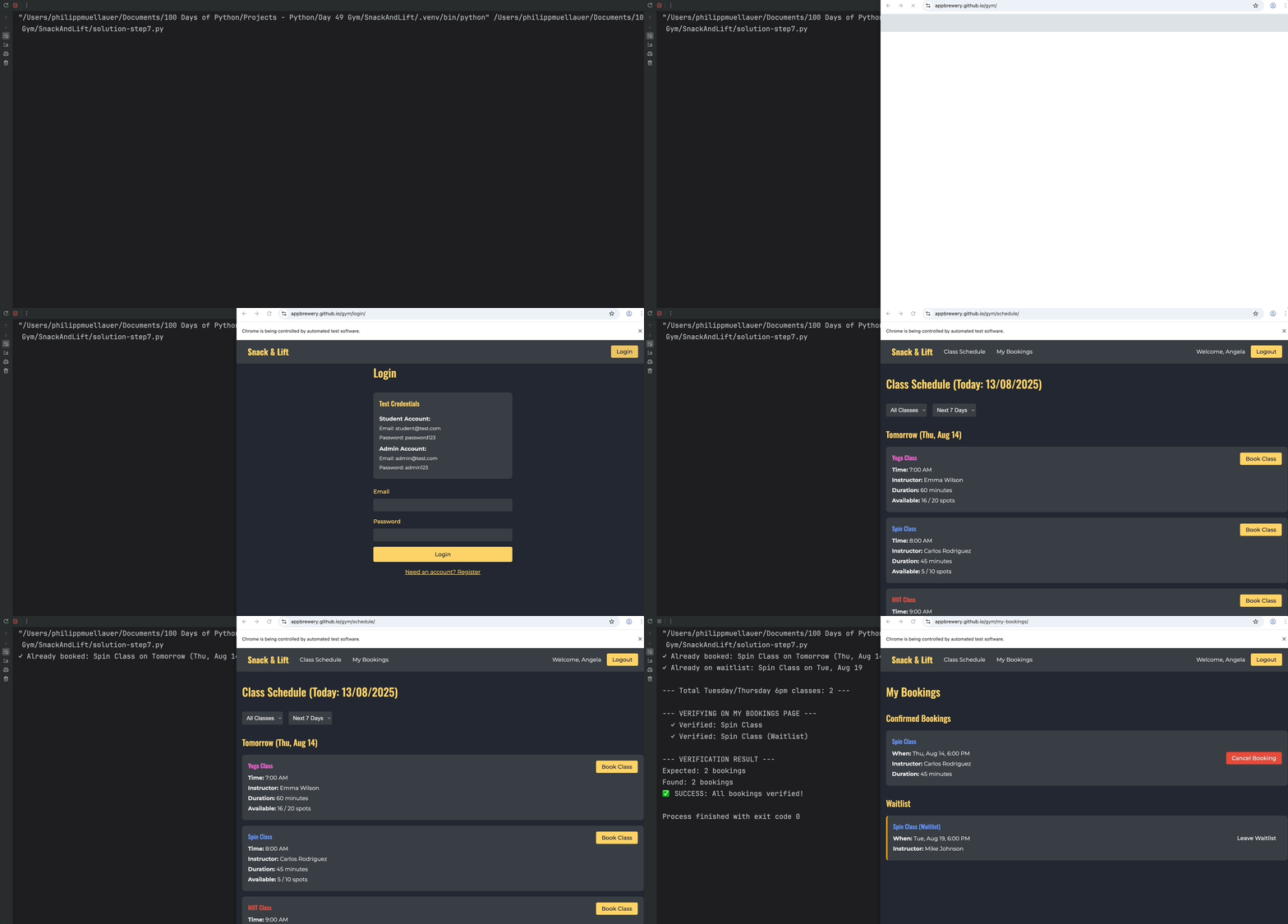
Did everything actually work out 😏? Just because we told Selenium to click the buttons, doesn't necessarily mean that our bookings are registered on the Gym's system. We should check the "My Bookings" page to see that all the classes we booked are actually there.
Your verification mission:
You can comment out the "Booking Summary" you created (for now).
Navigate to the "My Bookings" page
Count all Tuesday/Thursday 6pm bookings
Compare the results with what you tried to book
Print the verification results
Pro Tip:
Make use of Selenium's NoSuchElementException. You can throw this exception yourself if an element that you're looking for (like your bookings) is not present.
https://www.selenium.dev/documentation/webdriver/troubleshooting/errors/
Success output:
✓ Already booked: Spin Class on Tomorrow (Thu, Aug 14)
✓ Already on waitlist: Spin Class on Tue, Aug 19

--- Total Tuesday/Thursday 6pm classes: 2 ---

--- VERIFYING ON MY BOOKINGS PAGE ---
  ✓ Verified: Spin Class
  ✓ Verified: Spin Class (Waitlist)

--- VERIFICATION RESULT ---
Expected: 2 bookings
Found: 2 bookings
✅ SUCCESS: All bookings verified!
If there is a mismatch, you can print out the difference between your verified bookings and your booking attempts:
✓ Already on waitlist: Spin Class on Tue, Aug 19

--- Total Tuesday/Thursday 6pm classes: 1 ---

--- VERIFYING ON MY BOOKINGS PAGE ---
  ✓ Verified: Spin Class
  ✓ Verified: Spin Class (Waitlist)

--- VERIFICATION RESULT ---
Expected: 1 bookings
Found: 2 bookings
❌ MISMATCH: Missing -1 bookings
You can make the printed output nicer to read if you'd like to use singular if there is only 1 booking (optional).
Your Selenium script should behave something like this: