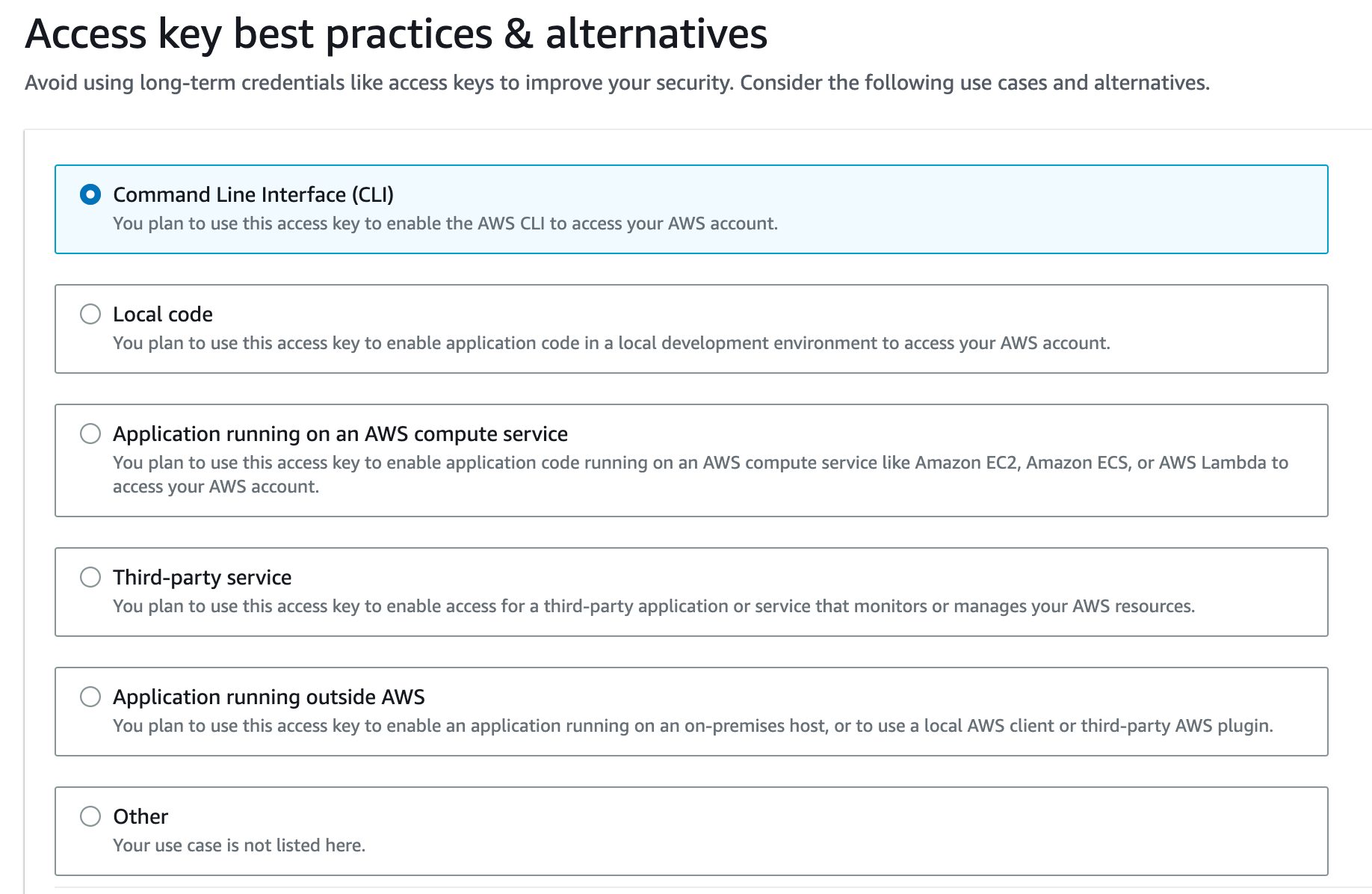
In the upcoming lecture, we will be creating an IAM user and then generating a key pair for deployment. There is a minor required change to this flow. Instead of being prompted to create a key pair during the IAM user creation, you must first create the IAM user, then, create a key pair associated with that user. AWS has also changed the terminology from Programmatic Access, to Command Line Interface (CLI).
Full updated instructions can be found below:
1. Search for and select IAM
2. In the left sidebar find Access Management
3. Click Users
4. Click Create User
5. Enter any name you’d like in the User Name field.
6. Click Next
7. Click Attach Policies Directly
8. Use the search bar to find and tick the box next to AdministratorAccess-AWSElasticBeanstalk
9. Click Next
10. Click Create user
11. Select the IAM user that was just created from the list of users
12. Click Security Credentials
13. Scroll down to find Access Keys
14. Click Create access key
15. Select Command Line Interface (CLI)
16. Scroll down and tick the "I understand..." check box and click "Next"
17. Copy and/or download the Access Key ID and Secret Access Key to use for deployment.