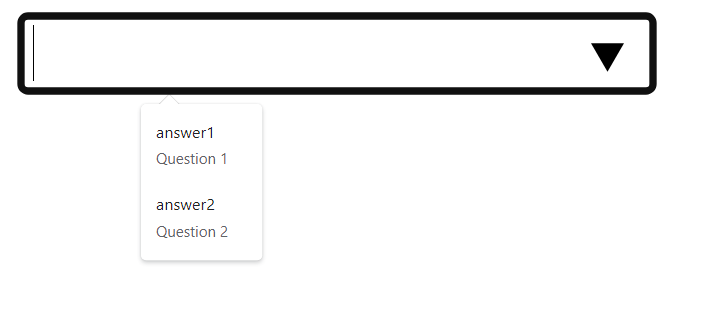
The <datalist> HTML element is supported in all major browsers today. It’s a great element because it allows a user to write any text without being limited to only those options you have provided by default.
Now for the bad news.
You may have noticed that when we added the value attribute, its value was shown in the drop-down, and then when selected, its value was inserted into the <input> box.
What if you don't want this to happen?
Let’s look at this simple <datalist> example:
<html>
    <form>
        <input type="text" list="demo">
        <datalist id="demo">
            <option value="answer1">Question 1</option>
            <option value="answer2">Question 2</option>
        </datalist>
    </form>
</html>
This is shown in the browser as follows:
After selecting an option, the input is filled with the value attribute, and not the inner text.
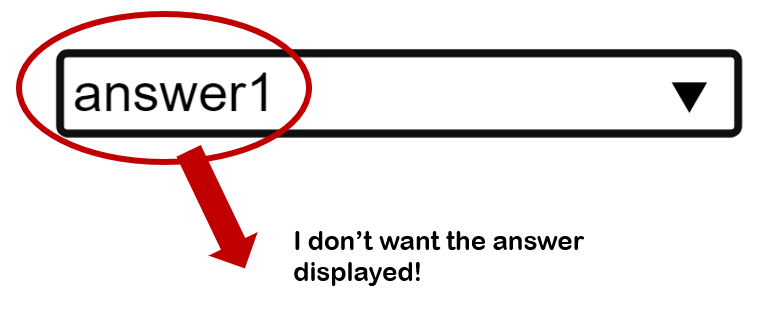
And this brings us to our problem. What if you want to hide the answer?
What if you only want the user to see the text ("Question 1") in the drop-down and in the <input>, and only pass the value “answer 1” when the user submits the form.
In other words, can you have the drop-down list show the inner text of the <option> element but send the value attribute when the form is submitted?
Short answer: no, there is no native way to do this.
#1. Use a <select> element
The most obvious solution may be that you don’t need the <datalist> element at all. You could use the <select> elements instead, like this:
<html>
    <form>
        <select>
            <option value="answer1">Question 1</option>
            <option value="answer2">Question 2</option>
        </select>
    </form>
</html>
But there’s a problem with this too – the user is not allowed to enter their own value. The <select> element is restrictive in that it ONLY allows a user to select one of its options.
It looks like this in the browser:
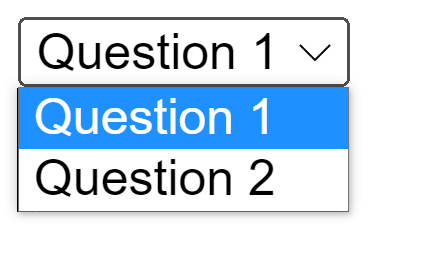
Bottom line: If you want to disallow a user to input their own value, then select may be a good solution.
However, if you want the flexibility that <datalist> has to offer, you’ll have to move onto the next solution …
#2. Replace the value attribute with an id attribute
You could write it out like this, and use id attributes:
<input list="demo">
<datalist id="demo">
            <option id="answer1">Question 1</option>
            <option id="answer2">Question 2</option>
</datalist>
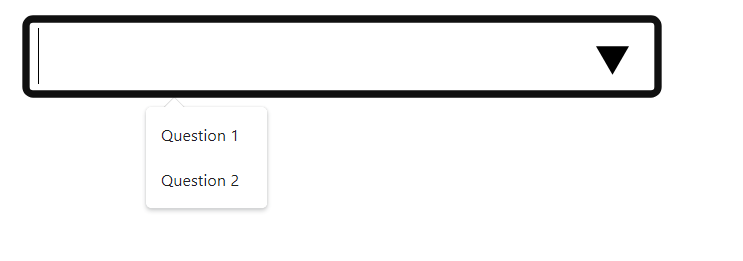
This kind of solves the problem, depending on what you want to do:
#3. Use data-* attributes
Finally, you could use change to value attribute to, say, data-value, like this:
<input list="demo">
<datalist id="demo">
            <option data-value="answer1">Question 1</option>
            <option data-value="answer2">Question 2</option>
</datalist>
The data-* attribute is used to store custom data.
Both the value and the data-value are attributes. So what is the difference? The value attribute is native, which means that its value can be accessed by server-side languages natively. When you use data-value, on the other hand, it can only be natively accessed by the client-side.
I don’t want to complicate things by writing JS here, but what you could do is create a hidden input element (the type attribute will be hidden), and then on a submit event being fired, you can extract the data-value attribute (for example by using the getAttribute() method) and insert it into the hidden input’s value attribute. That way, it will be submitted to the server.
Hope this has been informative.
Let's move on.